At a glance
Two serious security flaws have been found in PHP software used by many websites and online services.
The flaws could allow an attacker to make a vulnerable server run commands without needing a username or password.
In the worst case, an attacker could take control of the server, steal information, disrupt services or use the server to attack other systems.
Local government and all local public sector organisations should treat this as an urgent risk to internet-facing services.
- Identify where PHP is used
- Install the security updates.
- Isolate systems that cannot be made safe.
- Check for signs of compromise.
- Obtain clear assurance from suppliers.
What is PHP remote code execution – PHP2Shell?
PHP is a programming language widely used for websites. It’s used in content-management systems, public portals, business applications and some network appliances.
Remote Code Execution (RCE) means an attacker may be able to make a server run commands or code remotely.
PHP2Shell generally refers to activity associated with turning PHP access or a PHP vulnerability into a web shell, which can give an attacker a powerful way to control a server.
The two reported flaws are CVE-2026-109618 and CVE-2026-109619.
A CVE number is simply a public reference number used to identify a specific security weakness.
What happened on 21 October 2026?
The PHP project released security updates for two critical flaws.
The weaknesses involve the way PHP manages computer memory when a request fails or runs out of memory.
It means PHP can mistakenly use damaged or out-of-date information. An attacker may be able to deliberately trigger this behaviour and turn it into control of the server.
Updates were released for PHP 8.5.12, 8.4.27, 8.3.36 and 8.2.35. Organisations using older versions should obtain an approved update or backported fix from their operating system provider, software supplier or managed service provider.
Information about the flaws appeared publicly before the planned announcement. This reduced the time available for organisations to prepare and increased the chance that attackers could study the fixes and develop attacks quickly.
Why is this serious?

Remote code execution is generally considered a high impact security issue because successful exploitation can potentially allow an attacker to:
- Run commands on the affected server.
- Install malicious files or a web shell.
- Access or alter information.
- Use the compromised server as a foothold for further attacks.
- Potentially move into other parts of the environment, depending on the permissions available.
⚠️The vulnerabilities have been given a CVSS v4.0 score of 9.2.

CVSS is a standard scale for describing the severity of a security weakness with 9.2 classed as critical.
Strategic call to action for public sector organisations
Chief executives, senior information risk owners, digital leaders, service owners, suppliers and technical teams should treat this as an organisation-wide service risk, not only an IT problem.
Activate emergency governance.
Name a senior owner, bring together cyber security, IT operations, service teams, communications, information governance and procurement, and allow urgent changes to be approved quickly.
Protect essential services first.
Prioritise public facing and high impact services, especially those handling payments, benefits, housing, health, identity or sensitive personal information.
Accept short-term disruption where necessary.
If a vulnerable service cannot be updated or made safe, temporarily restrict access or take it offline. A controlled outage may be safer than an uncontrolled compromise.
Hold suppliers to account.
Ask each relevant supplier to confirm whether PHP is present, which version is used, whether the service is affected, what fix has been applied and when it was completed.
Prepare for a possible incident.
Preserve logs, monitor unusual activity and make sure escalation, legal, regulatory and public communications arrangements are ready.
Five top priorities
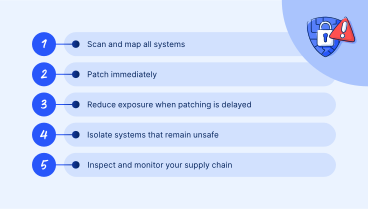
- Scan and map all systems.
Create a list of websites, applications, cloud services, hosted platforms and appliances that use PHP. Include systems operated by suppliers. Start with services accessible from the internet. - Patch immediately.
Upgrade supported systems to PHP 8.5.12, 8.4.27, 8.3.36 or 8.2.35, as appropriate.
For older systems, use an approved supplier or operating system fix. Test rapidly, but do not allow normal change processes to create unnecessary delay. - Reduce exposure when patching is delayed.
If updating cannot be completed straight away, implement official temporary mitigations. These measures reduce risk but do not replace the security update. - Isolate systems that remain unsafe.
Where neither patching nor mitigations can be immediately applied, remove vulnerable services from the internet, restrict network access and block unnecessary outbound connections until remediation is complete. - Inspect and monitor supply chain.
Review web and server logs for crashes, unusual memory errors, unexpected files, new accounts or suspicious commands. Seek specialist incident response support if compromise is suspected, and continue to obtain status updates from suppliers.
Your practical response checklist
- Appoint a senior owner and establish a single incident record.
- Identify all internet facing services that use PHP.
- Confirm the PHP version, hosting arrangement, service owner and supplier for each system.
- Apply the appropriate update and record evidence of completion.
- Restrict or suspend any service that cannot be made safe promptly.
- Preserve and review relevant logs; increase monitoring for suspicious activity.
- Ask suppliers for written assurance and a remediation date.
- Assess whether personal data, essential services or regulatory duties may be affected.
- Escalate suspected compromise through the organisation’s incident-response process.
- After the immediate response, update asset records, contracts and risk registers.
If you suspect compromise…
Do not rely on patching alone. Isolate the affected system, preserve logs and other evidence, activate your incident response plan and obtain specialist support.Consider legal, regulatory, safeguarding and communications duties.
Do not delete suspicious files or rebuild the server until investigators have advised how evidence should be handled.
Further reading
- Topic hub: Cyber@Socitm
- Blog: Five cyber resilience priorities for local government IT leaders
- Case study: Defend as one: building a shared cyber security capability
External references
- UK National Cyber Security Centre: Critical security issue affecting PHP
- NHS England Digital: Cyber Alert CC-4875: Critical Vulnerabilities in PHP (PHP2Shell)
- The PHP Foundation: Today’s PHP Security Release, and How We’re Strengthening PHP Security
- PHP.net: Official release archive
- NCSC-NL: Operational information about PHP2Shell
Plain-English glossary
| Technical term | Meaning |
|---|---|
| Backport | A security fix adapted for an older software version. |
| CIR provider | A specialist cyber incident response company that helps investigate and contain an attack. |
| CVSS | A standard score used to describe how severe a security weakness is. |
| DMZ | A separated part of a network used for public facing systems, limiting access to the rest of the organisation. |
| Internet facing | Reachable from the public internet. |
| Memory corruption | A fault in which software handles computer memory incorrectly, potentially allowing unexpected or malicious actions. |
| Patch | A software update that fixes a defect or security weakness |
| PHP worker process | A running part of PHP that handles website requests. |
| SAPI | The method PHP uses to work with a web server, such as PHP-FPM, Apache mod_php or php-cgi. |
| Software bill of materials (SBOM) | A list of software components included in a product or service. |
| SIEM | A security monitoring system that collects logs and alerts teams to suspicious activity. |
| Web shell | A hidden tool placed on a compromised web server to give an attacker continuing remote access. |
This guide supports urgent decision-making but does not replace organisation-specific technical assessment, supplier advice or incident-response procedures.